

Quale cornice Pexar fa per te? La guida all’acquisto completa
Per i genitori che hanno già tutto, una cornice digitale offre ciò che la maggior parte dei regali non può offrire: migliora con il tempo invece di peggiorare. Ma non tutte le cornici si adattano a ogni spazio, né a ogni persona. Sbagliare modello non significa solo scegliere la misura sbagliata. Significa una cornice nel posto sbagliato, che stona con l’ambiente o non si adatta allo stile di vita di chi la riceve.
Tutte le cornici digitali Pexar hanno la stessa base: display antiriflesso, condivisione delle foto via Wi-Fi, navigazione touch e supporto per orientamento orizzontale e verticale. Le differenze tra i modelli dipendono dal contesto: spazio, destinatario e scopo. Una nota sui nomi prima della tabella: due cornici portano il nome VivKeep Pro, e ciò che le accomuna è lo standard hardware, non il software – l’11" usa la Pexar App, il 12,5" funziona con Frameo. Per scoprire tutta la gamma di cornici digitali Pexar, parti dalla nostra home page; la guida qui sotto ti aiuta ad abbinare un modello al tuo spazio. Sei alle prime armi con le cornici digitali? La nostra guida su cosa valutare prima di scegliere parte dalle basi.
In sintesi: cinque cornici, cinque scenari
 Terra 10,1" |  2K 11" |  Starlight 15,6" |  VivKeep Pro 11" |  VivKeep Pro 12,5" | |
|---|---|---|---|---|---|
| Dimensione schermo | 10,1" | 11" | 15,6" | 11" | 12,5" |
| Risoluzione | 1280 × 800 | 2000 × 1200 | 1920 × 1080 | 2000 × 1200 | 2120 × 1590 |
| Rapporto d'aspetto | 16:10 | 5:3 | 16:9 | 5:3 | 4:3 |
| Luminosità automatica | ✓ | — | ✓ | — | ✓ |
| Retroilluminazione da galleria | — | — | ✓ | — | — |
| Montaggio a parete | — | ✓ | ✓ | ✓ | — |
| App | Frameo | Frameo | Frameo | Pexar | Frameo |
| Memoria interna | 32GB | 32GB | 64GB | 32GB | 64GB |
| Ideale per | Comodino · anziani · mensole decorative | Cuore della casa · fotografia · scrivania | Parete del soggiorno · regalo di pregio | Famiglia lontana · Wi-Fi instabile · privacy prima di tutto | Foto senza ritagli · consolle e credenza · grande formato senza parete |
Pexar Terra 10,1": pensata per i posti in cui le cornici si guardano davvero
La maggior parte delle cornici digitali finisce in uno di due posti: sul comodino o su una mensola. Terra è stata progettata proprio per questi spazi.
Con i suoi 10,1 pollici, Terra è abbastanza compatta da stare dove lo spazio è poco, ma abbastanza grande da mostrare bene i volti anche da vicino. L’esterno testurizzato e il profilo sottile si inseriscono in una mensola arredata senza rubare la scena alle foto.
La luminosità automatica conta più di quanto sembri. Una cornice sempre nello stesso posto deve essere piacevole da guardare con ogni luce della giornata: sole del mattino, ombra del pomeriggio, luce della lampada la sera. Terra si regola da sola. Nessuno deve impostare nulla.
Per questo Terra è la scelta più naturale per un regalo che richiede poco impegno ma ha un grande significato: perfetta per i genitori che non usano i social e utile ancora a lungo dopo l’occasione per cui è stata regalata.

Pexar 2K 11": la cornice all’altezza delle tue foto
La 2K 11" è la più venduta di Pexar, per un motivo semplice: le fotocamere degli smartphone moderni producono foto con più dettagli di quanti la maggior parte delle cornici digitali possa mostrarne.
Una foto scattata con un iPhone o un Pixel recente ha molta più risoluzione e profondità di colore di quanta un normale pannello 1080P possa restituire. La cornice 2K, a 2000 × 1200, colma questo divario. I ritratti mostrano ogni lineamento con nitidezza, i paesaggi mantengono la profondità e i momenti di famiglia sembrano scattati con una vera fotocamera, non ridotti alla risoluzione di dieci anni fa.
Pexar 2K 11" è disponibile in due colori, adatti ad ambienti diversi. Nero si abbina ad ambienti moderni e minimalisti: arredi scuri, home office, open space contemporanei dove il contrasto è voluto. Sabbia si sposa con palette più calde: legno naturale, lino, scaffali in stile scandinavo. Stessa qualità d’immagine, rapporto diverso con l’ambiente. Per una cornice ben in vista, il colore conta più di quanto si pensi.

→ Scopri Pexar 2K 11" in Nero · Scopri in Sabbia
Pexar Starlight 15,6": quando la cornice diventa parte della stanza
Starlight è un oggetto di un’altra categoria.
Con 15,6 pollici, le foto appaiono quasi in formato poster. Un ritratto di famiglia, un paesaggio di viaggio, uno scatto spontaneo a un matrimonio: a queste dimensioni l’immagine non ha bisogno di farsi notare, occupa già la stanza. Il trattamento antiriflesso, di serie su tutte le cornici Pexar, qui è fondamentale: senza, uno schermo da 15 pollici sulla parete del soggiorno sarebbe inutilizzabile. Starlight resta nitida e vivida qualunque sia la posizione delle finestre.
Ciò che distingue Starlight da qualsiasi altra cornice è la retroilluminazione da galleria. Un tenue bagliore lungo il bordo crea un effetto alone sulla parete, simile all’illuminazione di gallerie e musei. La sera, con le lampade accese e la luce naturale che cala, Starlight non sparisce nella parete: diventa il punto focale della stanza.
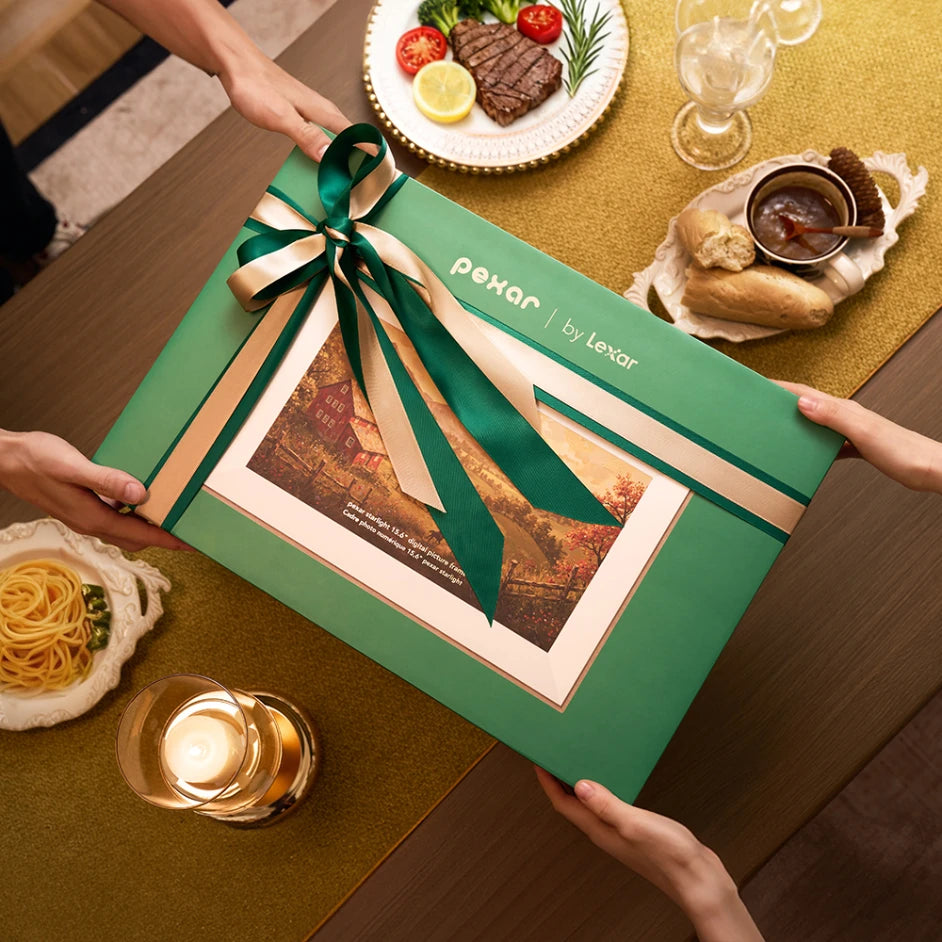
Come regalo di pregio, Starlight fa colpo già all’apertura della confezione. Le dimensioni, l’effetto luminoso, l’installazione: ogni dettaglio dice che la scelta è stata ponderata e generosa. È adatta alle occasioni importanti – una casa nuova, un compleanno speciale, un anniversario, la pensione – a ogni momento in cui un regalo qualunque sembrerebbe un ripiego.

→ Scopri Pexar Starlight 15,6" · Come scegliere una cornice digitale grande
Pexar VivKeep Pro 11": stesso schermo 2K, un altro modo di condividere
Pexar VivKeep Pro 11" non è un design a sé. È la Pexar 2K 11" – stesso pannello antiriflesso 2000 × 1200, stessi 212 PPI, stesso 100% sRGB – con una sola parte diversa: il software che la gestisce.
Tutte le altre cornici Pexar usano Frameo, l’app fotografica di terze parti molto diffusa. Pexar VivKeep Pro 11" usa invece la Pexar App, sviluppata internamente. La scelta hardware è già fatta: è il pannello 2K, che mostra una foto da smartphone moderna senza ridurla.
La Pexar App cambia tutto ciò che ruota intorno alla foto. Nessun abbonamento e nessun costo ricorrente, né ora né in futuro. Le foto vengono salvate sulla cornice stessa invece che su un server cloud, e 32 GB ne contengono circa 40.000 – espandibili con scheda SD o chiavetta USB-A. Puoi inviare un intero album in una volta invece di poche foto alla volta, e le Live Photos (solo iOS) e i video fino a 60 secondi arrivano integri, non trasformati in immagini statiche. La configurazione richiede circa un minuto: collega la cornice al Wi-Fi, scansiona il codice e inizia a inviare. La famiglia dall’altra parte può reagire con un cuore o aggiungere una didascalia, e la cornice continua a mostrare le foto anche quando il Wi-Fi cade: la connessione serve solo per sincronizzare i nuovi contenuti.
Scegli Pexar VivKeep Pro 11" quando chi la riceve vive lontano e sarai tu ad aggiungere le foto, quando preferisci che i tuoi ricordi non finiscano mai sul cloud di terze parti o quando sul Wi-Fi del posto non si può contare. Il perché dell’app – e perché siamo partiti dall’archiviazione locale e dall’assenza di abbonamento – lo spieghiamo in perché abbiamo creato la Pexar App.

→ Scopri Pexar VivKeep Pro 11"
Pexar VivKeep Pro 12,5": costruita intorno al formato delle tue foto
C’è una discrepanza che la maggior parte delle persone nota solo con un confronto diretto. La fotocamera principale di un iPhone o di un Pixel scatta in 4:3. Quasi tutte le cornici digitali in commercio – compreso il resto della gamma Pexar – sono in 5:3, 16:10 o 16:9. Qualcosa deve cedere: la cornice taglia la parte superiore e inferiore della foto oppure aggiunge bande nere.
Pexar VivKeep Pro 12,5" è l’unica cornice della gamma con pannello 4:3. La foto arriva, riempie lo schermo e mantiene il formato in cui è stata scattata. Nulla viene tagliato, nulla viene riempito e nessuno deve decidere se sacrificare una testa o l’orizzonte.
Le dimensioni si collocano volutamente tra le cornici da 11" e Starlight 15,6". Con 12,5 pollici l’area visibile è circa il 67% più ampia di una tipica cornice da 10 pollici: abbastanza presenza per una consolle, una credenza o uno scaffale aperto, senza il montaggio a parete che una cornice da 15,6" richiede. È un oggetto da appoggiare, non un elemento architettonico.
Qui le dimensioni non vanno a scapito della nitidezza. A 2120 × 1590, la 12,5" raggiunge 212 PPI, la stessa densità di pixel della Pexar 2K 11". Una superficie più grande con la stessa risoluzione per pollice, non un’immagine stirata. Un sensore di luce regola la luminosità durante la giornata, come su Terra e Starlight.
Per la condivisione, nota da che parte sta questa cornice: VivKeep Pro 12,5" funziona con Frameo, non con la Pexar App. È sulla stessa rete di Terra, 2K 11" e Starlight, quindi chi invia già foto a uno di questi modelli le invia a questo allo stesso modo. Se ti interessa la Pexar App, la scelta giusta è VivKeep Pro 11". Le due condividono il nome e lo standard hardware, non l’app per le foto.
La memoria interna è di 64 GB sulla cornice stessa – circa 120.000 foto, espandibili con scheda SD o chiavetta USB – e il display continua a funzionare quando il Wi-Fi non c’è. La connessione serve solo per sincronizzare i nuovi contenuti.

→ Scopri Pexar VivKeep Pro 12,5"
Cosa hanno in comune tutti i modelli: un regalo che tiene unita la famiglia
Il modello determina l’aspetto delle foto e il loro posto in casa. Ciò che rende ogni cornice Pexar un legame duraturo per la famiglia è uguale per tutte e cinque: sono gli altri a inviare le foto, e chi la riceve non deve fare nulla.
Su Pexar Terra 10,1", Pexar 2K 11", Pexar Starlight 15,6" e Pexar VivKeep Pro 12,5" tutto passa dalla rete Frameo. Fino a 512 persone possono essere invitate a inviare foto e brevi video alla stessa cornice, ognuna per conto proprio, senza coordinarsi e senza che chi la riceve debba gestire alcuna tecnologia. Un nonno riceve di continuo le foto di figli, nipoti e parenti. Non accede a nessun account, non chiede le foto e non deve sapere come funziona.
Pexar VivKeep Pro 11" è l’unica eccezione e ottiene lo stesso risultato con la Pexar App. Per chi riceve l’esperienza è identica – le foto compaiono e basta – mentre chi invia rinuncia alla grande rete di inviti di Frameo in cambio di nessun abbonamento, archiviazione locale invece del cloud e supporto per Live Photos e video più lunghi.
Ogni modello salva le foto in locale e continua a mostrarle anche senza Wi-Fi. La connessione è l’uso principale; il funzionamento offline è la rete di sicurezza quando manca.
Domande frequenti
Una cornice Pexar è facile da usare per genitori o nonni anziani?
Sì, chi la riceve non deve gestire alcuna tecnologia. I familiari inviano le foto da un’app sul proprio telefono (Frameo per Pexar Terra 10,1", Pexar 2K 11", Pexar Starlight 15,6" e Pexar VivKeep Pro 12,5"; la Pexar App per Pexar VivKeep Pro 11") e le foto compaiono automaticamente sulla cornice. La prima configurazione richiede circa cinque minuti con l’aiuto della famiglia. Dopo, la cornice va da sola. È uno degli aspetti più apprezzati nelle recensioni: configurazione semplice per anziani che non hanno mai usato un tablet o un’app per smartphone.
Qual è la vera differenza tra 2K e 1080P in una cornice digitale?
A 11 pollici, la risoluzione 2K (2000 × 1200) offre dettagli visibilmente più nitidi del 1080P, soprattutto nei ritratti e nei primi piani. Le fotocamere degli smartphone moderni catturano più informazioni di quante uno schermo 1080P possa mostrare; un pannello 2K le restituisce per intero. La differenza si vede nell’uso reale, non solo sulla carta.
Quale cornice Pexar ritaglia meno le mie foto?
Pexar VivKeep Pro 12,5". Le fotocamere dei telefoni scattano in 4:3 ed è l’unica cornice della gamma con pannello 4:3: una foto inviata dal telefono riempie lo schermo nel formato originale, senza ritagli né bande nere. Gli altri modelli sono in 5:3, 16:9 o 16:10, quindi ogni foto viene tagliata o mostrata con bande nere.
Più persone possono inviare foto alla stessa cornice Pexar?
Sì, ognuno usa l’app per conto proprio. Le foto dei vari familiari arrivano nell’ordine in cui vengono inviate, senza coordinamento e senza un account condiviso da gestire.
Quale cornice Pexar è il miglior regalo di pregio?
Pexar Starlight 15,6". Retroilluminazione da galleria, dimensioni del display ed esperienza di unboxing la distinguono dalle cornici tradizionali. È la scelta giusta per le occasioni importanti in cui un regalo più piccolo sembrerebbe insufficiente: una casa nuova, un compleanno speciale o qualsiasi momento che meriti qualcosa di davvero memorabile. Se lo spazio di chi la riceve non si presta a una cornice da parete, Pexar VivKeep Pro 12,5" è l’equivalente da appoggiare: grande formato e finitura Soft Gold, pensata per una consolle o una credenza invece che per la parete.